How to Activate Your Online Cricket ID for the First Time — Complete Beginner’s Guide (2026)
⚡ Quick Summary:
Once you receive your cricket ID credentials on WhatsApp from Shivaay Betting, open the platform link, log in with your temporary username and password, change your password immediately, deposit a minimum of ₹100 via UPI, and your ID is fully live and ready to bet. The whole process takes under 5 minutes.
So you have just requested your online cricket ID — great move. But now what? A lot of first-time users get stuck right here. They receive their credentials on WhatsApp, open the link, and freeze — not knowing what to do next, whether their account is actually active, or if they have done something wrong.
This guide is written specifically for that moment. Whether you are a complete beginner who has never bet online before, or someone who has used fantasy apps but never a live cricket exchange, you will know exactly what to do after reading this — step by step, mistake by mistake, tip by tip.
📋 In This Guide
- What is an online cricket ID and what does “activation” mean?
- What you need before you start
- Step-by-step: How to activate your online cricket ID
- Your first login — what to do in the first 5 minutes
- How to set a strong password that protects your account
- How to make your first deposit via UPI
- How to explore the betting dashboard for the first time
- 7 common mistakes beginners make during activation
- Troubleshooting: Login not working? Read this
- Frequently asked questions (FAQ)
1. What Is an Online Cricket ID and What Does "Activation" Mean?
An online cricket ID is simply your personal login — a username and password — that gives you access to a cricket betting exchange platform. Think of it like a Netflix account: once it is created and funded, you can watch (or in this case, bet on) anything on that platform anytime you want.
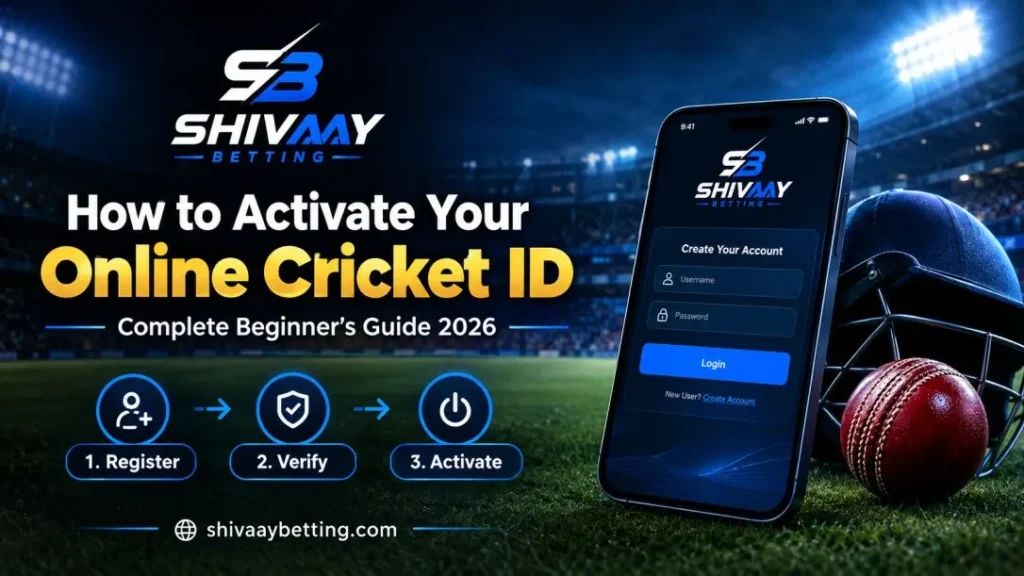
When people say “activating your cricket ID,” they mean completing three things:
- Logging in for the first time with the credentials sent to you
- Changing your temporary password to a private one only you know
- Making your first deposit so your betting wallet has funds and the account is fully unlocked
Until all three are done, your ID exists but is not truly “alive.” A lot of beginners receive their credentials and think they are done — but without a deposit, most platforms restrict access to live markets. This guide walks you through every step so nothing gets missed.
2. What You Need Before You Start
| What you need | Why it matters |
|---|---|
| Your WhatsApp message from Shivaay Betting | Contains your username, temporary password, and the platform login link |
| A working UPI app (Google Pay, PhonePe, or Paytm) | You will need it to make your first deposit — minimum ₹100 |
| A good internet connection | Slow connections cause login timeouts on live platforms |
| 5–10 minutes of undisturbed time | Do not rush the first setup — especially the password change |
💡 Pro tip: Do your first activation on your personal mobile data — not public Wi-Fi at a café or someone else’s hotspot. Public Wi-Fi is the easiest place for someone to intercept your login details.
3. Step-by-Step: How to Activate Your Online Cricket ID
Here is the full activation process from the moment you receive your WhatsApp message from the Shivaay Betting team to the moment your ID is live and ready to use.
Step 1 — Open your WhatsApp from Shivaay Betting
After you contact us on WhatsApp and complete your registration, our team sends you a message containing: your username, your temporary password, and the platform login URL (for example, the link to your Diamond Exchange or Sky Exchange dashboard). Screenshot this message and save it somewhere safe — do not share it with anyone.
Step 2 — Open the platform in your browser
Tap the login link in the WhatsApp message. It will open the official betting exchange platform in your browser or prompt you to download the app. Always use the link sent directly by Shivaay Betting — never search for the platform name on Google and click random results, as many fake lookalike sites exist.
Step 3 — Enter your username and password
On the login screen, carefully type your username and the temporary password exactly as given to you. Passwords are case-sensitive — a capital “S” and a lowercase “s” are treated as completely different characters. If you are copy-pasting from WhatsApp, watch out for invisible spaces at the beginning or end of the text.
Step 4 — Make your first deposit via UPI
Navigate to the Deposit or Add Funds section of the platform. Select UPI as your payment method. Enter the deposit amount — minimum ₹100 at Shivaay Betting — and approve the payment on your Google Pay, PhonePe, or Paytm app. The funds will reflect in your betting wallet within seconds.
Step 5 — Verify your balance in the dashboard
After the deposit confirms, your account balance should update on the dashboard. If you see your deposited amount reflected as “Available Balance” or “Wallet Balance,” your online cricket ID is now fully activated. You can now access all live cricket markets, place bets, and request withdrawals.
🏏 Shivaay Betting speed: Our team sends your credentials within 2 minutes of your deposit confirmation. If more than 10 minutes pass without receiving your ID, message us on WhatsApp — we have 24/7 human support, not bots.
4. Login — What to Do in the First 5 Minutes
Most beginners log in and immediately try to place a bet. Slow down. The first five minutes after logging in for the first time are actually the most important security window for your account. Here is a quick checklist:
- Change password — do this first, before anything else
- Check your balance — confirm your deposit reflected correctly
- Save your username — store it in your phone’s notes or a password manager
- Explore the navigation — spend 2 minutes finding where the cricket section, deposit, and withdrawal tabs are
- Check customer support options — note where to get help if something goes wrong
None of this takes more than five minutes, and it will save you hours of headaches later. A lot of users only discover where the withdrawal button is when they are trying to cash out winnings in a hurry — and then cannot find it. Know the platform before the match starts.
5. How to Set a Strong Password That Protects Your Account
| Weak password | Strong password |
|---|---|
| cricket123 | Cr!ck3t@Bh4r@t#9 |
| ipl2026 | IPL$2026_W!n |
| your phone number | Mix of letters, numbers, and symbols |
| 123456 | At least 10 characters long |
| your name + birth year | Nothing personally identifiable |
⚠️ Warning: Shivaay Betting’s support team will never ask for your password — not on WhatsApp, not on chat, not ever. If someone claiming to be us asks for your password, they are an impersonator. Report it immediately and change your password.
6. How to Make Your First Deposit via UPI
Making a deposit on a betting exchange platform is very similar to paying for something on Zomato or Flipkart via UPI. Here is how it works step by step:
- Log in to your cricket ID platform and go to Deposit / Add Funds
- Select UPI as the payment method
- Enter the deposit amount (minimum ₹100 with Shivaay Betting)
- You will either see a UPI ID to send money to, or a QR code to scan
- Open your Google Pay, PhonePe, or Paytm app and complete the payment
- Wait for the “Payment Successful” confirmation — this usually takes 10–30 seconds
- Go back to the platform and check your wallet balance — it should update within 1–2 minutes
💰 First deposit tip: Start small — ₹100 or ₹200. Learn how the platform works, explore the markets, and place a small bet first. Once you understand how odds, session markets, and withdrawals work, you can decide how much you want to deposit going forward. There is no pressure to deposit more than you are comfortable with.
If your deposit does not reflect after 5 minutes, do not panic. Message the Shivaay Betting support team on WhatsApp with your UTR number (the 12-digit transaction reference number in your UPI app). Our team manually credits your balance immediately after verification.
7. How to Explore the Betting Dashboard for the First Time
Once your ID is active and funded, the betting dashboard might look overwhelming at first — live odds flashing, multiple sports listed, dozens of markets. Here is a simple way to get comfortable with it:
Find the cricket section
Look for a tab or menu item that says “Cricket” or “Sports.” This is where all live and upcoming cricket matches are listed. During IPL, Champions Trophy, or any major tournament, you will see multiple matches here with real-time odds.
Understand the two main bet types
- Match odds — betting on which team wins the overall match
- Session bets — betting on how many runs a team will score in a specific period (like the next 6 overs)
For beginners, match odds are simpler to understand. Session betting is more exciting but requires a little more cricket knowledge.
Check the withdrawal tab before you need it
Find the Withdrawal section now — while you are calm — so you know exactly where it is when you want to cash out. Note the minimum withdrawal amount and any timing rules on the platform.
Enable notifications if available
Some platforms let you enable push notifications for match starts, score updates, or balance changes. Turning these on can help you keep track of live bets.
8. Seven Common Mistakes Beginners Make During Activation (And How to Avoid Them)
After helping over 10,000 users get started with their online cricket IDs, the Shivaay Betting team has seen the same mistakes happen over and over. Here they are — so you do not have to make them:
Mistake 1 — Not changing the temporary password
The temporary password sent by the provider is not secure. It was created quickly and shared over a message. Change it the moment you log in. Do not come back to it “later” — later becomes never, and a shared temporary password is an open door for anyone who had access to that WhatsApp message.
Mistake 2 — Taking a screenshot of your login credentials and keeping it in the gallery
Screenshots can be accessed by apps with photo permissions. Instead, save your username in a notes app protected by fingerprint lock, and store your password in a password manager. Delete the original WhatsApp screenshot after you have safely saved the information.
Mistake 3 — Depositing a large amount on the very first try
Start with ₹100–₹200. Get comfortable with how the platform works, how withdrawals function, and how odds move. Once you have placed a few bets and done a successful withdrawal, you will have the confidence — and knowledge — to deposit more if you choose to.
Mistake 4 — Logging in on multiple devices at once
Most cricket exchange platforms flag simultaneous logins from different devices as suspicious activity and may temporarily lock the account. Pick one device — your personal phone — as your primary device for cricket betting.
Mistake 5 — Sharing your credentials with a friend “to help them get started”
Your cricket ID is linked to your money. When you share credentials, you lose full control of your funds and your account security. If a friend wants a cricket ID, direct them to get their own — it takes less than 10 minutes through Shivaay Betting.
Mistake 6 — Clicking links from Google instead of using the official link
Searching “Diamond Exchange login” on Google will show you dozens of fake sites that look identical to the real platform but steal your credentials. Always use the exact link sent by Shivaay Betting and bookmark it immediately after your first successful login.
Mistake 7 — Not contacting support when something seems wrong
Deposit not reflecting? Balance showing zero after payment? Login page not loading? These things happen, and they are almost always fixable in minutes. Do not sit and wait — message the Shivaay Betting WhatsApp team immediately. We have 24/7 human support for exactly these situations.
9. Troubleshooting: Login Not Working? Read This First
| Problem | Most likely cause | Fix |
|---|---|---|
| Incorrect username or password error | Typo, extra space, or CAPS LOCK on | Retype manually — do not copy-paste. Check CAPS LOCK. Passwords are case-sensitive. |
| OTP not received | Network issue or DND mode active on your SIM | Check network signal. Disable DND. Wait 2 minutes and try again. Contact support if it persists. |
| Account temporarily blocked | Too many failed login attempts | Wait 15–30 minutes before trying again. Message Shivaay Betting support to unlock manually. |
| Platform not loading | Outdated link or server maintenance | Clear browser cache. Ask Shivaay Betting for the latest working mirror link. |
| Deposit not reflecting | Payment processing delay or wrong UPI sent | Share your UTR number with our WhatsApp team — we trace and credit it manually within minutes. |
| Balance showing as “0” after deposit | Rare sync delay on the platform | Log out and log back in. If issue persists after 5 minutes, contact support with your UTR number. |
📞 Always contact Shivaay Betting support through our official WhatsApp number for technical issues — never through random numbers you find on Google. Our official contact is on shivaaybetting.com/contact.
Ready to Get Your Online Cricket ID?
Get a 100% verified ID activated on WhatsApp in under 10 minutes. Start with just ₹100 and get your 10% welcome bonus instantly.
10. Frequently Asked Questions
With Shivaay Betting, the full process from contacting us on WhatsApp to having a funded, live account takes under 10 minutes. We send your credentials within 2 minutes of your deposit, and deposits via UPI are credited instantly.
The minimum first deposit with Shivaay Betting is ₹100. This is one of the lowest entry points available — most other providers require ₹500 or more to get started.
First, check if your browser or password manager has saved it. If not, use the "Forgot Password" option on the platform login page — it will send a reset link or OTP to your registered mobile number. If you run into trouble, message the Shivaay Betting WhatsApp team and we will help you reset access.
No. With Shivaay Betting, you do not need to upload any Aadhaar card, PAN card, or any other documents. You only need your name, a mobile number, and a minimum ₹100 deposit via UPI. Your privacy is fully protected.
Yes. The platform works on both mobile browsers and desktop browsers. However, most Indian users find it more convenient to use their smartphone since UPI payments are faster and more seamless on mobile.
Yes. Once activated, your cricket ID is live around the clock. You can log in, deposit, bet, and withdraw at any time — day or night. Shivaay Betting also provides 24/7 WhatsApp support for any issues that come up.
No — and this is strongly advised against. Each online cricket ID should be used by one person only. Sharing credentials puts your money at risk and can result in your account being flagged or suspended by the platform for suspicious simultaneous logins.
A demo cricket ID is a practice account with virtual coins — no real money involved. Shivaay Betting offers a free demo ID so you can explore how the platform and betting markets work before committing real funds. It is a great option if this is your very first time using a cricket exchange. Just ask us on WhatsApp for a free demo.
A demo cricket ID is a practice account with virtual coins — no real money involved. Shivaay Betting offers a free demo ID so you can explore how the platform and betting markets work before committing real funds. It is a great option if this is your very first time using a cricket exchange. Just ask us on WhatsApp for a free demo.
The Bottom Line
Activating your online cricket ID for the first time is genuinely simple — but only if you know what to do in the right order. To recap the four things that actually matter:
- Log in with your credentials as soon as you receive them — do not delay
- Change your password the moment you are in — this is non-negotiable
- Make a small first deposit via UPI — it is what brings the account to life
- Bookmark the official platform link — so you are never clicking random Google results
Do those four things, and your cricket ID is activated, secured, and ready to use. Everything else — exploring markets, placing bets, understanding session odds — you can learn as you go. And if you ever get stuck, the Shivaay Betting team is on WhatsApp around the clock to help.
New to cricket betting entirely? Check out our complete online cricket ID guide for a deeper look at how the platform works, what markets are available, and how to read live odds.
Start with ₹100 Today
Get your verified online cricket ID in under 10 minutes — 10% welcome bonus included.